100 Days of SwiftUI
2026-05-07
Today you’re going to face your first challenge day, which is a day where you’re asked to build a completely new app from scratch using what you’ve learned so far.
Your challenge
You need to build an app that handles unit conversions: users will select an input unit and an output unit, then enter a value, and see the output of the conversion.
Which units you choose are down to you, but you could choose one of these:
- Temperature conversion: users choose Celsius, Fahrenheit, or Kelvin.
- Length conversion: users choose meters, kilometers, feet, yards, or miles.
- Time conversion: users choose seconds, minutes, hours, or days.
- Volume conversion: users choose milliliters, liters, cups, pints, or gallons.
If you were going for length conversion you might have:
- A segmented control for meters, kilometers, feet, yard, or miles, for the input unit.
- A second segmented control for meters, kilometers, feet, yard, or miles, for the output unit.
- A text field where users enter a number.
- A text view showing the result of the conversion.
So, if you chose meters for source unit and feet for output unit, then entered 10, you’d see 32.81 as the output.
Results
I have 2 “Done” buttons, one for each text field (a known thing with SwiftUI). I tried various ways to remove one of them (such as making the 2nd text field a label since we shouldn’t need to put anything in it) but nothing worked.
It turns out that the order of those dang
{}is important. So now I have all of the labels and so forth looking the way I expect. Plus I don’t get the double “Done” buttons. Although now that I think about it, the example we worked through didn’t have the double “Done”. I wonder why not? OOOOOHHHH It’s a “Text” not a “Textfield” 🙄
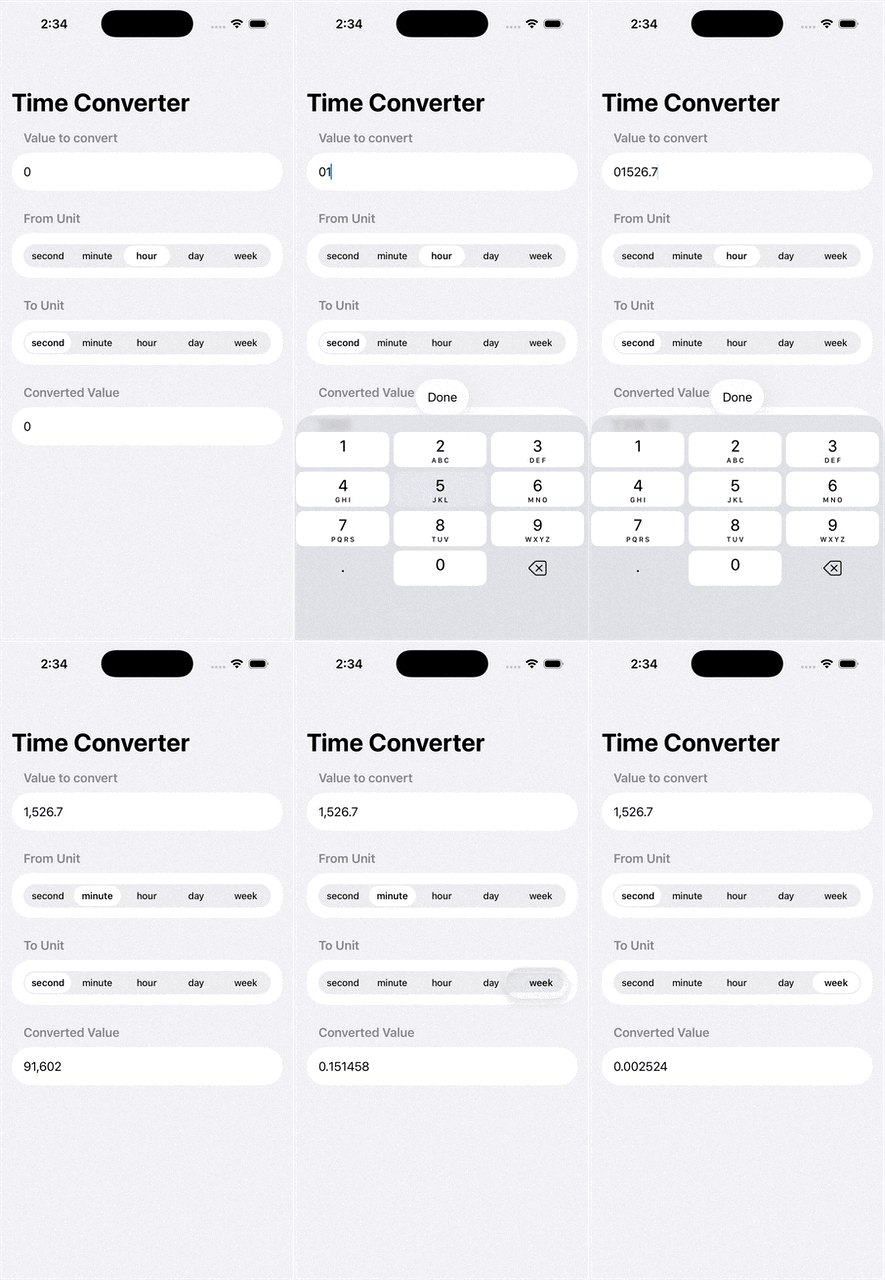
It ain’t pretty but it works!