100 Days of SwiftUI
2026-05-31
Project 8, part 4
Moonshot wrap up and challenges
Quiz: 11/12
Challenges
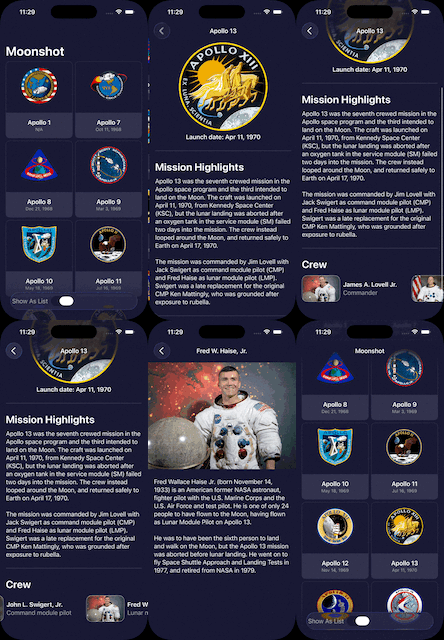
- Add the launch date to MissionView, below the mission badge. You might choose to format this differently given that more space is available, but it’s down to you.
I copied the code from ContentView and put it just below the badge with some reformatting
Text("Launch date: \(mission.formattedLaunchDate)")
    .font(.headline)
    .foregroundStyle(.textColorPrimary)
- Extract one or two pieces of view code into their own new SwiftUI views – the horizontal scroll view in MissionView is a great candidate, but if you followed my styling then you could also move the Rectangle dividers out too.
Hah! I already did the Rectangle dividers yesterday, so let’s do another one.
I think the Image calls are a good candidate. There are 4 of them, all with .resizable(). 3 of the 4 have scaledToFit(). I checked the one that doesn’t (crew member image) and putting it on didn’t seem to cause any issues.
So I replaced 2 lines written 4 times with a little extension and 1 line 4 times. Small in this, but a great way to harmonize an app.
extension Image {
    func imageResizableAndScaledToFit() -> some View {
        self
            .resizable()
            .scaledToFit()
    }
}

// Usage:

Image(astronaut.id)
    .imageResizableAndScaledToFit()
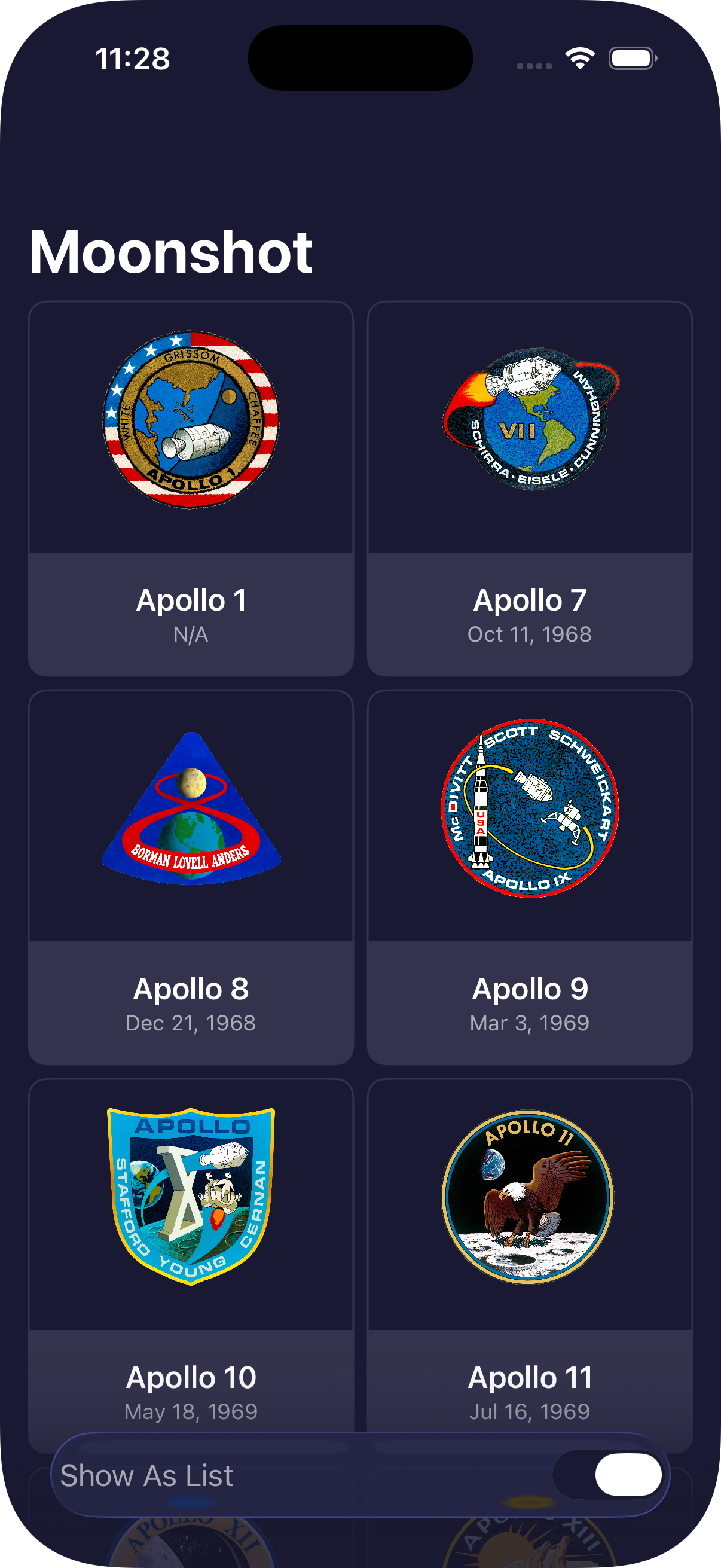
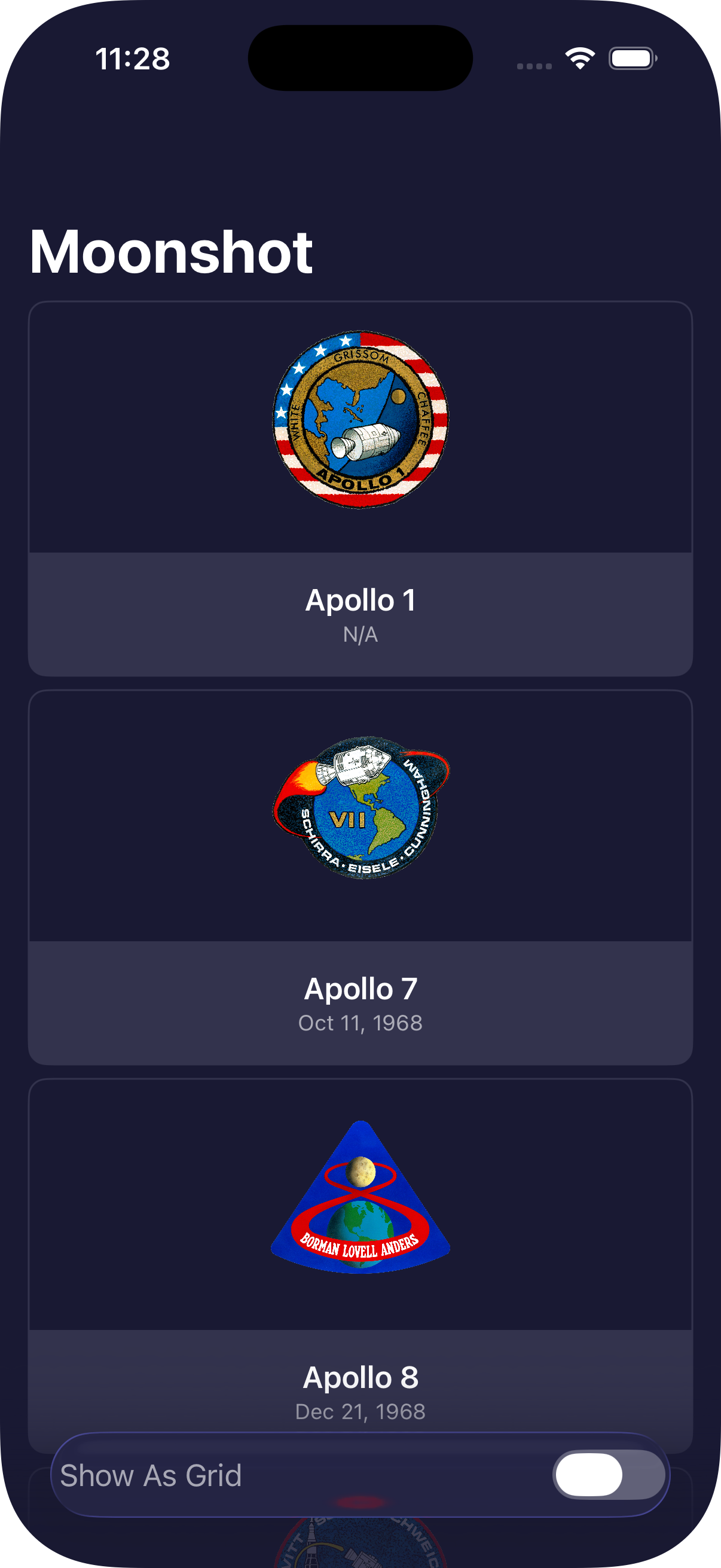
- For a tough challenge, add a toolbar item to ContentView that toggles between showing missions as a grid and as a list.
Well the concept was pretty simple, make a toggle that would set isViewGridEnabled to true for “Grid” and false for “List”. Getting the styling right however…
First, I did
    @State private var isViewGridEnabled: Bool = true

    var columns: [GridItem] {[
        GridItem(.adaptive(minimum: isViewGridEnabled ? 150 : .infinity))
    ]}
Then after the .navigationTitle I added
 .toolbar {
     ToolbarItem(placement: .bottomBar) {
         Toggle(isOn: $isViewGridEnabled) {
             Text(isViewGridEnabled ? "Show As List" : "Show As Grid")
                 .foregroundStyle(.textColorSecondary)
         }
         .toggleStyle(.switch)
         .tint(.darkBackground)
     }
The .tint(.darkBackground) is there to not have a BRIGHT GREEN toggle
Putting the toolbar in the .bottomBar throws a warning >Adding ‘UIKitToolbar’ as a subview of UIHostingController.view is not supported and may result in a broken view hierarchy. Add your view above UIHostingController.view in a common superview or insert it into your SwiftUI content in a UIViewRepresentable instead.
I tried to fix it by adding .compositingGroup() to the .toolbar modifiers but it didn’t make a difference. Since I really prefer this to be on the bottom, I’m going to ignore the warning.
Here it is!