100 Days of SwiftUI
2026-06-22
Project 10, part 1
Focus on Data
Cupcake Corner: Introduction
Creating a multi-screen app for ordering cupcakes, which involves how to send and receive data over internet

Sending and receiving Codable data with URLSession and SwiftUI
Super handy (for me at least) Xcode settings > General > Issues > Issue presentation > Show Minimized
asyncandawait— needed when doing something (like getting data from the internet) that may take some time- synchronous functions run completely
- asynchronous functions can take a little nap and other things in the app can still happen
task()modifier on a view starts the asynchronous function, don’t use.onAppear()- when you call the laggy work, use the
awaitkeyword - the function that is doing the laggy work gets the
asynckeyword - also need to deal with errors (no internet? timed out? etc.)
let (data, _) = try await URLSession.shared.data(from: url)this returns the data we want as well as metadata. The_basically discards the metadata — we’re not planning on doing anything with it.
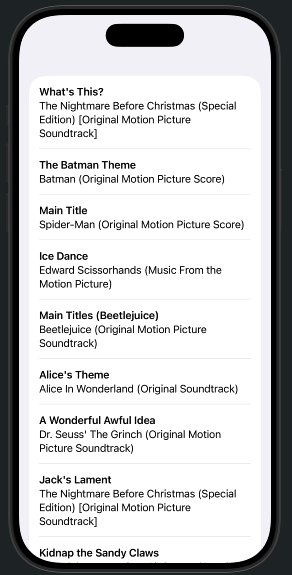 Not really a Taylor Swift fan
The example he uses is getting songs using the iTunes API, and it seems really straightforward if I’m following along. I’m not sure I would manage it starting from scratch. But who says I have to start from scratch?
Loading an image from a remote server
- use
AsyncImagebecause internet. However SwiftUI doesn’t know what it’s got until it gets it, so it may not display as intended. - “normal” resizing modifiers won’t work with. e.g.
AsyncImage(url: URL(string: "https://barbaratozier.com/assets/messy-bee.jpg")) - there’s a closure available, but you also have to deal with the placeholder image’s closure
- an image can have 3 states: loading, loaded, error
Validating and disabling forms
disabled()modifier takes a boolean — it can be a complicated as you want. So if you’re filling in a form, theSubmitbutton will be grayed out until the conditions for enabling it are true.